
Add one image
Upload a PNG, JPG or WebP, or arrive from a YIX generation with the source already selected.
AI IMAGE UPSCALER
Enlarge an image by 2× or 4× while preserving edges, textures and visual detail. Bring a YIX result here or upload your own image.
Drop an image here, click to browse, or paste from your clipboard.
Sign in to upload and upscale
Sign in to upload and upscalePrivate reference handling
Uploads are stored as private YIX assets and are available only to their owner. A short-lived signed reference is sent to the upscaling provider for processing.
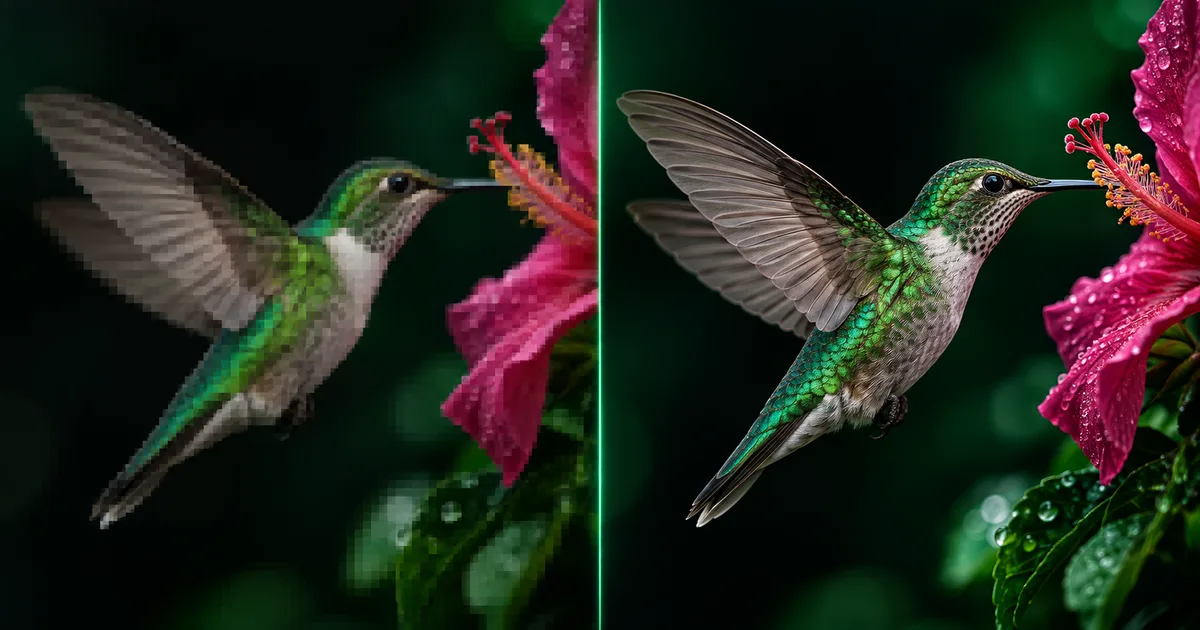
BEFORE / AFTER
This illustrative before-and-after shows the kind of edge and texture recovery an upscaler targets. Results depend on the source; reconstructed detail is plausible rather than guaranteed.
OUTPUT
Upload a PNG, JPG or WebP, or arrive from a YIX generation with the source already selected.
Select the output scale that fits your target size. The choice multiplies both image dimensions.
Compare the source with the result, then download the persisted PNG or use it as the next source.
The factor applies to both width and height. A 1000 × 1000 image becomes 2000 × 2000 at 2× or 4000 × 4000 at 4×, subject to the model output limit.
You can upload PNG, JPG or WebP images up to 10 MB. Results are saved as PNG files.
From 10 credits; the price depends on output size and is shown before starting.
No. AI upscaling can sharpen and reconstruct plausible detail, but it cannot guarantee the exact information that was absent from the original image.
Inspect the full-size PNG at 100%. Larger dimensions do not prove that reconstructed details are accurate. If the source has scratches or fading, restore it first, then enlarge the version you approved.