
YOUR STORY. NO CAMERA REQUIRED.
Make a faceless video.Let the story lead.
Turn an idea into scenes for your next Short, Reel or TikTok. Pick a starting point, shape the shot, and make the footage with AI.
Explore prompts for free. Video generation requires sign-in and credits.
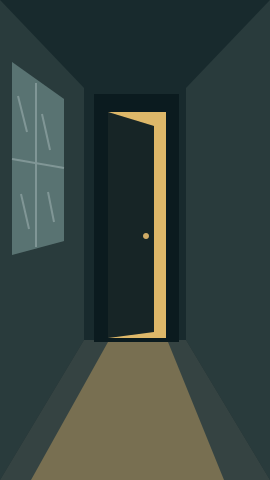

Illustrated concepts · not generated video results
Start with a scene worth watching.
Choose a direction, then edit the prompt to fit your own story. Each prompt makes one short clip; assemble your clips into a longer video in your editor.

A city before it wakes.
Open on a place, then move closer to an object that raises a question. Check historical claims separately; an AI scene is an illustration, not archival footage.
Illustrated concepts · not generated video results
Describe one subject, one action and one camera move. Keep captions out of the image; add them during editing.
Starting setup: 9:16 · 5 seconds · silent footage · 100 credits. Review settings and cost before generating.
Opening the generator does not spend credits. Your prompt stays in this browser tab during the handoff.
Shares the selected starting idea. Your edited prompt stays private.
What is a faceless video?
A faceless video tells its story without putting the creator on camera. The visuals might be a landscape, a product close-up, a screen recording or an illustrated scene. Narration and captions can explain what the viewer is seeing. With Yix, you can generate the visual clips from a text prompt or animate a reference image, then build the finished piece in your editor.
From first idea to finished short
Write the hook and a short script
Start with something specific: an unanswered question, a small surprise or a useful explanation. Read the script aloud. Mark where the viewer needs to see a new detail, and give each beat its own shot. For a 30-second first draft, six five-second shots are a manageable starting plan.
Generate and review each clip
Use the scene builder above for your first shot. Keep the subject and visual style consistent across prompts. Generate a clip, watch it all the way through, and check motion, unwanted faces and distracting details before making the next one. A reference image can help establish a recurring setting; consistency is not guaranteed.
Edit, caption and publish
Download your clips and arrange them around your narration in a video editor. Trim shots to the spoken words, add readable captions and use music you have permission to publish. Preview on your phone before uploading to your channel. Yix creates footage; automatic captioning, timeline editing and scheduled social posting are not included on this page.
A useful first-video checklist
- One clear idea and a first shot that supports the hook.
- Specific visuals for each line, rather than unrelated background footage.
- Captions checked by a person, with room for the platform’s interface.
- An honest description of illustrated scenes and sources for factual claims.
Before you make your first video
How can I make a faceless video feel more human?
Give the viewer your own point of view. Use concrete examples, vary the pacing and choose shots that explain the words. A creator in the linked discussion asked how to avoid making a video that feels like a podcast. A practical response is to give each scene a job: show the object, demonstrate the change or reveal the next clue.
Read the creator’s questionCan I make one without recording my face or voice?
You do not need a camera for the text-to-video workflow. For narration, record your own voice or add a voiceover in your editor. Some video models also offer generated audio, but exact wording and voice consistency can vary. These starting scenes use silent footage so you can control the final narration.
Does Yix automatically edit and post a whole channel?
No. This workflow helps you plan and generate individual video clips. You assemble the final video, add captions and publish it yourself. It does not connect your social accounts or schedule posts.
Is the faceless video generator free?
You can browse, edit and copy these scene prompts without signing in. Generating a video requires an account and available credits. The generator shows the cost for the selected settings before you start; changing the model, duration, resolution or audio can change that cost.
Can I make videos for Shorts, Reels and TikTok?
The starting setup uses vertical 9:16 footage. Download the clip, finish your edit and check the current upload requirements of the platform you use. The selected duration is for one generated clip, not the length of a finished episode.
Keep working on your video
Your first shot starts with an idea.
Pick a scene. Make it yours. Build the rest around it.
Build my first scene