
ArtCraft on GitHub: downloads and image editing
Find the official ArtCraft GitHub repository, desktop downloads and web app. Follow a practical image-editing workflow and try a focused browser alternative.
 Yix Team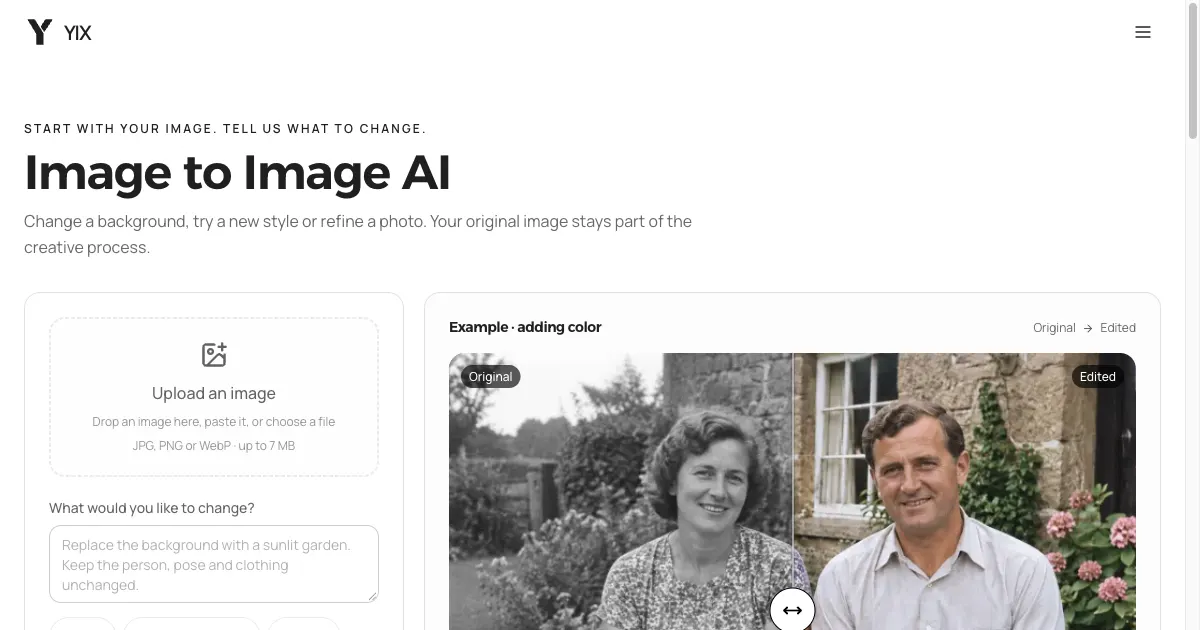
Cover: the Yix browser editor discussed later in this guide; not the ArtCraft interface.
Looking for GitHub ArtCraft? The repository is storytold/artcraft. The README describes an AI creation environment for composing images in 2D, staging scenes in 3D, and generating images or video. Start there for the source code, or use the official ArtCraft website for desktop downloads and its web app.
The main repository covers the ArtCraft studio. If you arrived through PhotoCraft or FilmCraft, check which application you actually need: a photo editor, a video editor, and the AI scene-building studio have different workflows. This guide focuses on getting the studio and editing an existing image. It does not claim that ArtCraft replaces every Adobe feature.
Official repository, downloads and browser access
| What you need | Official starting point | What to look for |
|---|---|---|
| Source code and project overview | ArtCraft GitHub | README, license, issues and current Star count |
| Desktop installer | ArtCraft downloads | The download option for your operating system |
| A specific published build | GitHub releases | Release notes and its Assets section |
| ArtCraft in a browser | ArtCraft web app | Available tools and the account's generation terms |
| Help from the project community | Official Discord | Installation and workflow discussions |
On October 10, 2026, the latest published GitHub release checked for this guide was ArtCraft v0.41.0. Its assets included a universal macOS DMG and Windows x64 EXE/MSI installers. Use the release list above to check for a newer build when downloading.
Expand Assets on the release you choose. A source-code ZIP is useful for developers; it is not the desktop installer. The README points Linux users to its build-from-source instructions. Do not assume a Windows installer will work on Linux, or that a source checkout includes a ready-to-run application.
Star and fork counts change constantly. The repository header is the place to see them live. They show repository activity, not whether a particular editing task will work well for your image.
What kind of image editing does ArtCraft describe?
The official README distinguishes prompted image editing from canvas editing and scene composition. Prompted editing describes a change in words and lists models such as Nano Banana Pro and GPT Image. Canvas editing uses drawing, masks and inpainting. Composition involves arranging layers or positioning objects and a camera before generating a shot.
Choose the workflow by the control you need. Changing the mood of a photograph can start with a short instruction. Moving a foreground object behind another object requires attention to layout and depth. A sequence of shots in the same room adds another requirement: the room must remain recognizable between images.
These are documented capabilities, not results from a Yix benchmark. The desktop application was not installed or tested for this guide. Use the project's two-minute demo to inspect its interface before deciding whether to set it up.
Plan one edit before generating
Take a product photograph of a chair. Suppose you want a warmer wall behind it while keeping the upholstery unchanged. Save the original first, then write down the visible change and the details you will compare afterward.
An instruction to adapt:
Change the wall behind the chair to a warm cream color.
Keep the chair's shape and upholstery color, the camera angle,
and the shadow on the floor. Do not add furniture, text or a frame.
This is a prompt example, not a generated result. Try one change before combining background replacement, lighting and camera movement. If the chair changes too, a prettier wall does not make the edit acceptable. Return to the original and narrow the instruction; use a mask or conventional editor when the change must stay inside an exact boundary.
For scene composition, sketch the arrangement first. Decide where the subject belongs, what should appear behind it, and which part of the frame must stay empty. Compare the generated picture with that plan. Do not judge it only by whether it looks polished at thumbnail size.
A focused image edit in Yix
For a source image plus a written instruction, you can use Yix image editing with Nano Banana 2 selected. This is an alternative for the same editing task. It does not open ArtCraft, reproduce its full studio, or provide a PSD/3D workspace.
- Open the editor and check that Nano Banana 2 is selected.
- Upload or paste an image you have permission to edit. Keep the original file.
- Enter one edit instruction, such as the chair example above.
- Choose the output quality and aspect ratio. Review the displayed credits before submitting.
- Sign in when needed, generate, then compare the result at full size before downloading it.
Inspect edges, small lettering and the subject's proportions. For a portrait, also inspect the eyes, hands and identifying features. If you continue from a generated result, changes can accumulate; returning to the original is often easier than trying to undo several revisions through prompts.
The editor's colorization example provides a source/result comparison using fictional Yix sample images. It is an existing example, not an ArtCraft output or a new Nano Banana 2 benchmark. You can inspect the comparison without submitting a generation.
Download cost and generation cost are separate
ArtCraft's website advertises free downloads and no required subscription. Check its current pricing page and the selected model's terms before generating; downloading an application does not establish unlimited free model usage. Yix separately shows the cost of an edit in credits, with account options on pricing.
Before reusing ArtCraft code, read its license. The file describes a fair-source license with restrictions, including commercial resale and using its code to develop a competing product. “Available on GitHub” should not be treated as permission to repackage the software freely.
For the ArtCraft studio, continue to the official repository. For the chair-style editing task in your browser, open the selected Yix editor. Yix is independent of ArtCraft and Storytold.
For arranging generated clips into a sequence, see the FilmCraft editor guide.
LightCraft RAW workflow guide: check camera variants, preserve originals and evaluate a small export before moving a photo library.
For photo layers versus editable paths, see the PhotoCraft vs VectorCraft comparison.
For the twelve-application desktop suite and its separate Launcher, use the Get Craft Apps selection and download guide.