
PhotoCraft GitHub: Download & Installation Guide
Find the official PhotoCraft GitHub v0.17.0 downloads for Windows, Mac and Linux. Match the installer, verify its checksum and check PSD copies.
 Yix Team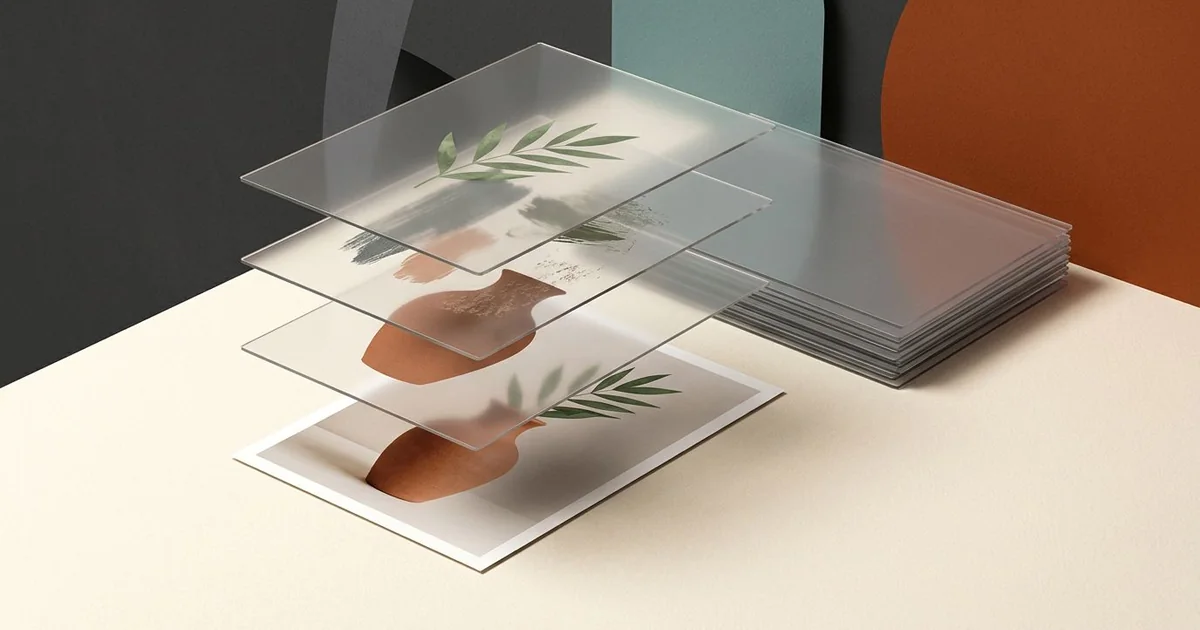
Download PhotoCraft for Windows, Mac or Linux from the official PhotoCraft GitHub repository and its Releases page. This guide helps you choose the installer for your computer, distinguish it from source-code archives, and check PSD compatibility before switching editors. PhotoCraft supports layers, masks and PSD files; start with a copy of your document so you can compare the result.
Checked on October 29, 2026: the latest release is v0.17.0, published October 28 at 17:39 UTC (October 29 in Shanghai). The version-pinned installation guide still describes PhotoCraft as an early-alpha project. This guide covers choosing a release file and planning a compatibility check. We reviewed the official documentation and release listing; we have not installed these packages or tested their PSD output.
Cover: an Imagen-generated illustration of separate image layers and a flattened print, not a PhotoCraft screenshot or an editing result.
PhotoCraft and ArtCraft are different starting points
The PhotoCraft product page describes a native image editor. The broader ArtCraft site also links to image and video creation tools. If your task is to edit a layered document, follow the PhotoCraft repository and releases rather than assuming that any “Launch App” button opens this editor.
Our ArtCraft GitHub guide covers the broader project. This page focuses on the PhotoCraft files you need and what to check before relying on them for an existing image-editing workflow.
Choose the release file for your computer
Open the latest release, read its notes and expand Assets. Match both the operating system and the processor architecture. The following names come from the v0.17.0 listing; use the current release's corresponding files when a newer version appears.
| Computer | Files to look for | What to check |
|---|---|---|
| Mac | photocraft-0.17.0-macos-universal.dmg | This is the desktop package. The separately named photocraft-cli archive is for the command-line application. |
| Windows | photocraft-0.17.0-windows-x64.msi, or the matching arm64 / x86 file | Check your system type. Portable ZIP packages are also listed; choose the same architecture. |
| Linux | A matching linux-x86_64 or linux-aarch64 package | The release includes AppImage, DEB, RPM, Flatpak and tar archives. Choose the format appropriate to your system. |
| FreeBSD | photocraft-0.17.0-freebsd-x86_64.tar.gz | A separate FreeBSD archive, not the Linux build. |
| Web build | photocraft-web-0.17.0.zip | This is a packaged web build, not a promise that downloading it opens a hosted browser editor. |
For Linux, v0.17.0 also lists Arch-style .pkg.tar.zst packages for x86_64 and aarch64. RISC-V has separate linux-riscv64.deb, .rpm and .tar.gz files; do not choose an x86_64 AppImage for that machine. The release listing proves that these packages are published, not that every distribution or device has been tested here.
For common desktop systems, go directly to the official Windows x64 MSI, Mac universal DMG, or Linux x86_64 AppImage. For other architectures, use the full release list above. These links are pinned to v0.17.0, so they will not silently switch versions.
GitHub's Source code archives contain source rather than a desktop installer. A .zsync file accompanies an AppImage update workflow; it is not the application to open. These similarly named files are an easy source of confusion when a release has a long asset list.
The installation documentation recommends checking release notes and checksums. v0.17.0 lists SHA256SUMS.txt. Compare the checksum for the exact file you downloaded, not another architecture's package. The documentation also says signing depends on release configuration: a download being present does not, by itself, prove it is signed.
Download SHA256SUMS.txt from the same v0.17.0 release. On Windows, calculate the downloaded file's SHA-256 with Get-FileHash .\photocraft-0.17.0-windows-x64.msi -Algorithm SHA256 in PowerShell. On a Mac, use shasum -a 256 photocraft-0.17.0-macos-universal.dmg. Compare the complete result with the line for that exact filename. A match checks the bytes against the release's published checksum; it does not demonstrate that the app is bug-free or that your PSD will round-trip correctly.
After downloading, follow the package instructions for your platform. If your operating system reports a security or compatibility problem, verify the source, filename and release guidance before proceeding. This article does not recommend disabling system protections. For a source build, follow the repository's build documentation; Rust compilation is a separate route from using a packaged desktop release.
What v0.17.0 changes for an existing workflow
The official v0.17.0 notes include several changes worth adding to a small-file check:
- A startup update prompt is listed. Read the displayed version before accepting an update, and keep your working document backed up.
- Halftone Pattern smart filters have a PSD/PSB preservation fix. If your document uses that filter, compare both the reopened layers and a flat export.
- Text on a path now follows edits to the path. Check the glyph positions and wrapping in a duplicate of a document that uses this feature.
- Select and Mask starts from its defaults unless Remember Settings is enabled. A different initial setting may be intentional; inspect that option before trying to reproduce an older result.
These are release-note claims, not independent tests of the installed application. The notes do not establish complete Photoshop compatibility. They make the checklist more specific to this release.
Test a PSD copy before moving real work
A useful first document is small enough to inspect but contains the features you actually use. For example, make a duplicate with a text layer, a masked photo and an adjustment layer. Keep the untouched original and a reference export from your existing editor.
- Open the duplicate in PhotoCraft. Compare canvas dimensions, visible layer order, text wrapping and mask edges with the reference.
- Make one modest change, such as moving a text layer. Save to a new filename. Avoid replacing your only original.
- Close and reopen the saved document. Confirm that the edit and the layers you need are still available.
- If the document must go back to another editor, open that saved copy there too. Look for changed fonts, blending, transparency and effects.
- Export a flat image and open it in a separate image viewer. Check its dimensions, colour, transparency where relevant, and the edges at 100% zoom.
This is a proposed acceptance checklist, not a report of tests we ran. A file opening successfully answers only the first question. Your own save/reopen/export cycle determines whether the features in that document survive the workflow you need.
Read feedback as a test list
In the October 10 report issue #2504, a contributor describing themselves as a photographer reports concerns about Camera Raw presets, action interchange and lag while painting masks. The issue remained open when checked on October 29. That is their report, not a result reproduced here or proof that each item persists in v0.17.0. If these are central to your work, include them in your small-document trial before switching.
Issue #2502, opened and closed on October 10, describes a mismatch between a zoomed-out Filter Gallery preview and the applied output. It is a historical report, not a current open defect. It gives a concrete reason to inspect the saved or exported image separately instead of judging an effect only from a reduced preview. Check the issue's current status and the release you are using; a report does not establish that every version or machine behaves the same way.
Use a flat export for a prompt-based edit
For a different task, such as trying a new background on a finished photo, export a JPG, PNG or WebP copy and use a photo editor that accepts a reference image. Keep the layered source separately. A flattened image does not carry an editable PSD layer stack into Yix.
The card preselects Nano Banana 2 without generating. Add a reference file up to 7 MB, wait for its preview, and describe one change. For example: “Replace the background with a pale grey studio wall; keep the vase, leaf and camera framing.” This is an original, untested brief. Check the displayed credit cost before generating and compare the result with your exported reference.
For more guidance on preserving a subject while changing its surroundings, see the reference-photo prompt guide. Keep whichever editor preserves the parts of your workflow that matter; a small, repeatable check is more useful than a broad promise of compatibility.
For photo layers versus editable paths, see the PhotoCraft vs VectorCraft comparison.