
PHOTO TO AVATAR
Mera Prompt avatar maker
Turn one portrait into a profile picture. Choose a style, upload your photo and make an avatar on this page.
Prompts are free to copy. AI generation requires sign-in and paid credits; the editor shows the cost before you start.
Upload your portraitGPT Image 2.5 Sunburst · Medium · 1:1
One image per generation. Failed tasks restore credits. Each new version uses credits.
Prompts are free to copy. AI generation requires sign-in and paid credits; the editor shows the cost before you start.
Leave room for the circle
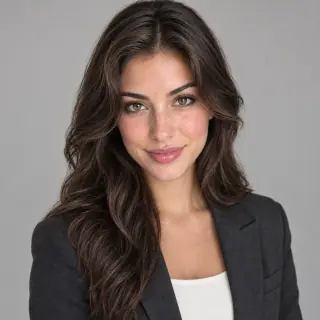
Keep the face near the center and leave space above the hair. Small details and busy backgrounds disappear when an avatar is shown as a tiny circle.
Uploaded originals require your account to access. Generated image links can be opened by anyone who has the link. Avoid sensitive photos.
Turn one portrait into a profile picture. Choose a style, upload your photo and make an avatar on this page.
From portrait to profile picture
1. Choose a clear photo
Use a well-lit portrait of one person. Avoid sunglasses, heavy filters and faces hidden by hair. Upload a JPG, PNG or WebP within the size limit shown above.
2. Pick a look and review the cost
Choose a style and adjust the prompt if needed. Keep the output at 1:1 for a square avatar. Review the model, quality and credit cost, then sign in to generate.
3. Check, download and crop
Review the eyes, hairline, skin texture and likeness before downloading. Open the free profile picture preview to check a circular crop and export a square or circular PNG.
What does Mera Prompt mean here?
People use “Mera Prompt” for ready-to-use AI photo-editing prompts, including stylized portraits and social profile pictures. This page focuses on that avatar task: original prompts you can adapt, with a photo editor on the same page. Yix is an independent tool and is not affiliated with Mera Prompt websites.
Before you generate
A prompt can ask for a recognizable face, but likeness is not guaranteed. Strong illustration or lighting changes may alter facial details. Start with the studio look if resemblance matters most; use a brighter source photo if the face looks muddy. Upload only photos you have permission to use.