YIX

GIF Prompts — Motion Examples and Settings

Start with a subject, one movement and a fixed scene. These original prompts pair with GIFs generated on YIX, so you can inspect the result before adapting the wording.

A useful motion prompt

[Subject] + [one small action] + [starting and ending pose] + [fixed camera and background] + [style]. Avoid asking for a full story in four frames.

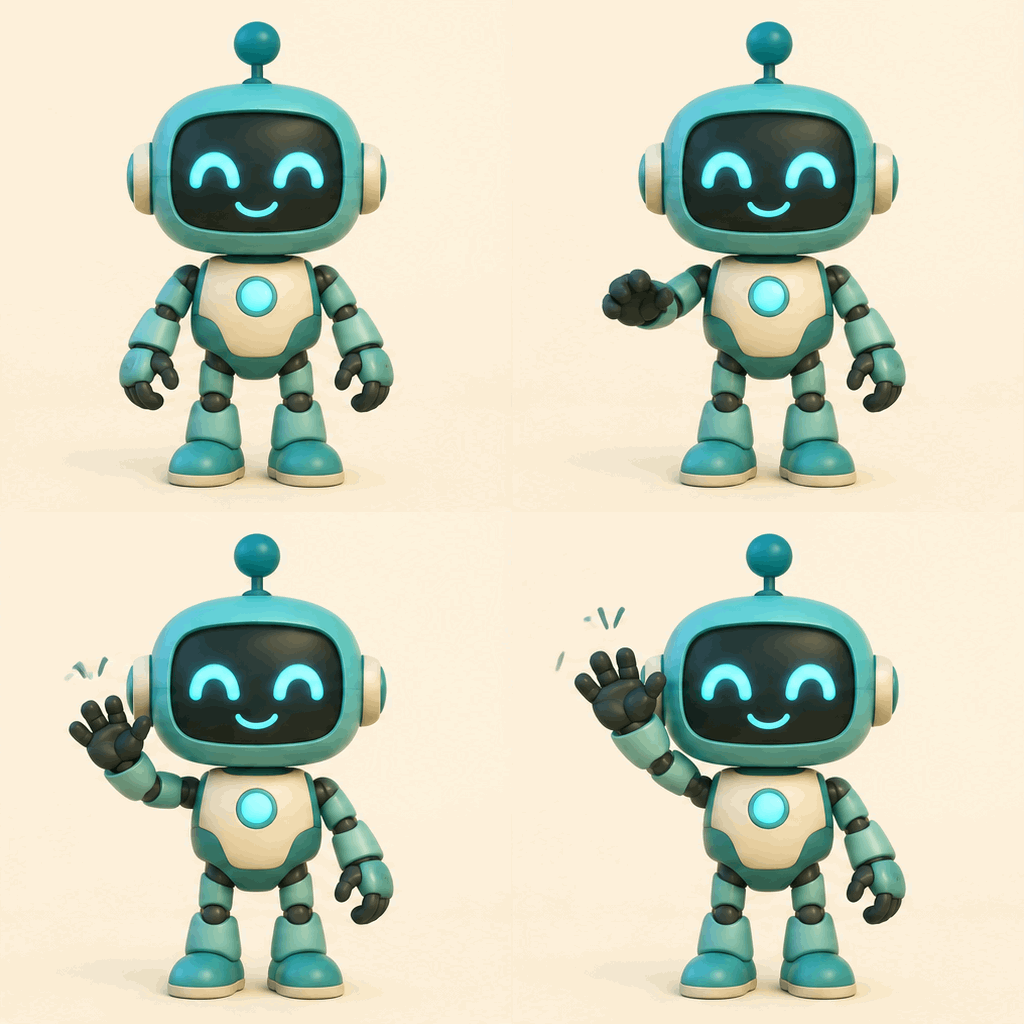
A robot raises its hand

A robot raises its hand

GPT Image 2.6 Flare · 4 frames · 50 credits

A small friendly teal robot raises its right hand in a gentle wave, then returns to the starting pose. Simple rounded shapes, warm cream background, fixed camera, full body centered, no text. A short repeating animation.

Four clear poses, with a noticeable reset at the end. Use a smaller gesture if a softer loop matters.

Download the real GIF
Steam above a coffee cup

Steam above a coffee cup

GPT Image 2.6 Flare · 9 frames · 100 credits

A terracotta coffee cup stays still while one soft curl of steam rises and fades above it. Warm cream background, clean flat illustration, fixed camera, no text. Subtle repeating movement, keep the cup unchanged.

Nine frames give the steam more stages. The cup stays mostly still; the loop boundary is still visible.

Download the real GIF
A rotating golden star

A rotating golden star

GPT Image 2.6 Sunburst · 4 frames · 50 credits

A small golden four-point star gently rotates around its center against a deep navy background. Simple flat geometric illustration, fixed camera, centered composition, no text. End at the starting orientation for a repeating animation.

A simple rotation study in four frames. Rotation and shape may vary between new attempts.

Download the real GIF

Change one detail at a time

Keep the action and frame count unchanged while testing a new color or subject. If the motion jumps, simplify it before spending more on quality. The examples use Low quality, 512 × 512 output and 200 ms per frame. Generation costs credits; viewing and downloading these examples is free.

Open the generator and choose an example

Further reference

OpenAI GIF format and frame settings

These are YIX-created demonstration prompts and outputs, published with authorization. You may reuse the prompts as starting points. No third-party logos or characters are required. AI output is not guaranteed unique; assess your intended use.

Examples checked November 6, 2026.

Write GIF prompts that loop cleanly

Give the first and last frames a relationship. A waving hand can start near the shoulder, rise, tilt and return. A bouncing ball can start at floor level, reach its highest point and fall back. Both motions repeat naturally because the final pose leads into the opening pose. A character walking out of frame is harder to loop unless the prompt also says how the character returns.

Decide what changes from frame to frame

For four frames, describe four poses you could draw as thumbnails. Try “a paper crane resting, dipping its beak, lifting its head and settling back into its resting pose.” Keep the camera still and use a plain background. Preview the animation at its intended size. If the dipping motion disappears when the picture gets smaller, emphasize the change in angle before you add more colors or details.

Nine frames give a more involved gesture room to develop. For a shy greeting, spend the first few frames raising the hand, the middle frames waving and the final frames lowering it. Keep the outfit and face consistent throughout. A new expression, a camera move and a changing background can compete with the wave. Rewrite the prompt around whichever of those actions you want the viewer to notice first.

The examples on this page include settings as well as words. Compare the downloaded animation with its prompt and note which details survived at small sizes. When adapting a sample, change the subject first and keep the motion and timing. Then adjust the timing in the generator if a pose feels rushed. This makes it easier to distinguish a framing problem from a playback problem.