
Diwali Gemini Prompt: 6 Photo Edits to Copy
Copy six Diwali Gemini prompts for diya-lit saree portraits, kurta photos, couples, family photos, low-light fixes, and a festive doorway.
 Yix Team
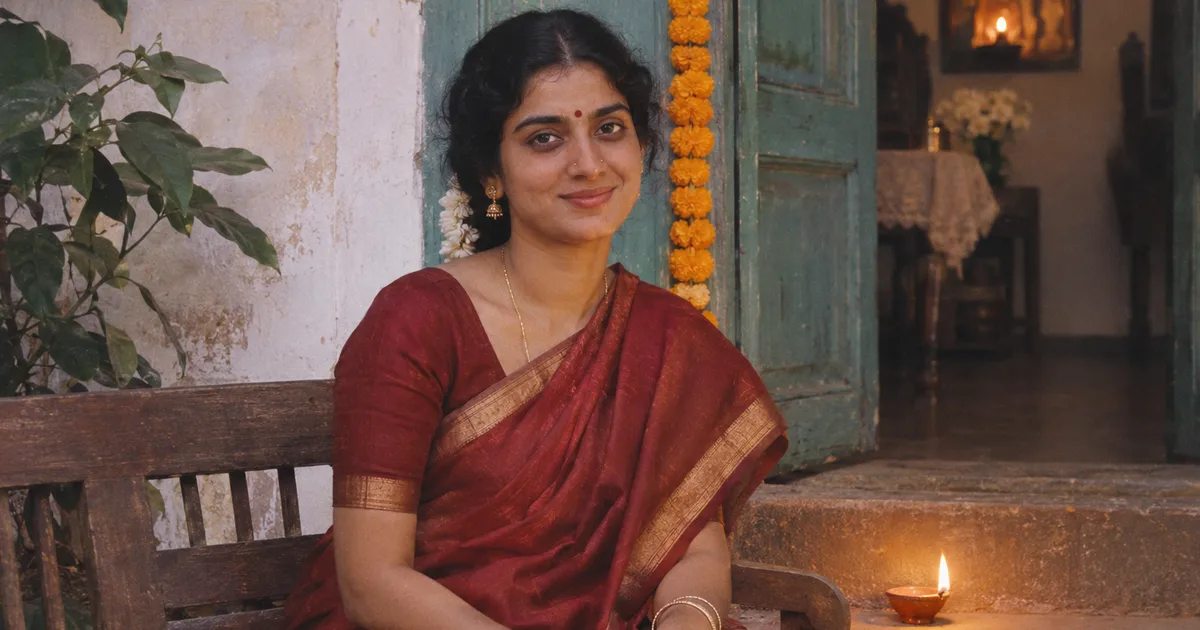
A Diwali Gemini prompt is an instruction you paste after uploading a photo to Gemini. The familiar portrait uses the person in your photo, a saree or kurta, small clay oil lamps called diyas, and warm evening light. If you came looking for the diya-lit saree photo, start with prompt 1.
The phrase covers several edits. India Today documented saree-and-diya portraits in 2025. In November 2026, The Economic Times covered using Gemini to change festive outfits and settings or enhance photos for sharing. The six prompts below are original Yix templates based on those uses. India Today · The Economic Times
How to use a Diwali photo editing prompt
- Open Gemini and upload a clear photo you have permission to edit. Use one group photo where everyone’s face is visible for a couple or family edit.
- Paste a prompt below and generate an image. You can also use Yix Image to Image with Nano Banana 2.1. Upload the original, paste the text into the editing instructions, and check the credit cost shown before generating.
- Compare the edit with your original at full size. Check each face, the number of people, the hands, and any details you asked to keep. If a face changes, go back to the original and try an edit limited to the lighting or background.
Google documents photo uploads and follow-up edits in Gemini Apps. Google’s image editing instructions
The cover and the four style examples were created with imagegen. They show the intended lighting and styling. The example photos use fictional people and a wide crop for the article.
1. Diya-lit saree portrait
Use a solo photo with the face clearly visible. If the original crops out the hands, put the lamp on the step as in this prompt. The model can work with the existing framing.
Edit the uploaded portrait into a quiet Diwali evening at a home entrance. Preserve the person’s facial features, skin tone, hairstyle, and expression. Dress them in a deep red silk saree with a narrow antique-gold border. Put one lit terracotta diya on the step beside them so the flame casts a soft amber highlight on the nearer cheek. Keep the rest of the face readable in soft evening light. Add a few out-of-focus lights in the distance. Frame it as a vertical 4:5 portrait with natural skin texture and no text.
For a 1990s film look, add “Use subtle 35mm grain, slightly faded reds, and soft highlight roll-off.” Keep the lamp and scene unchanged when comparing the two looks.
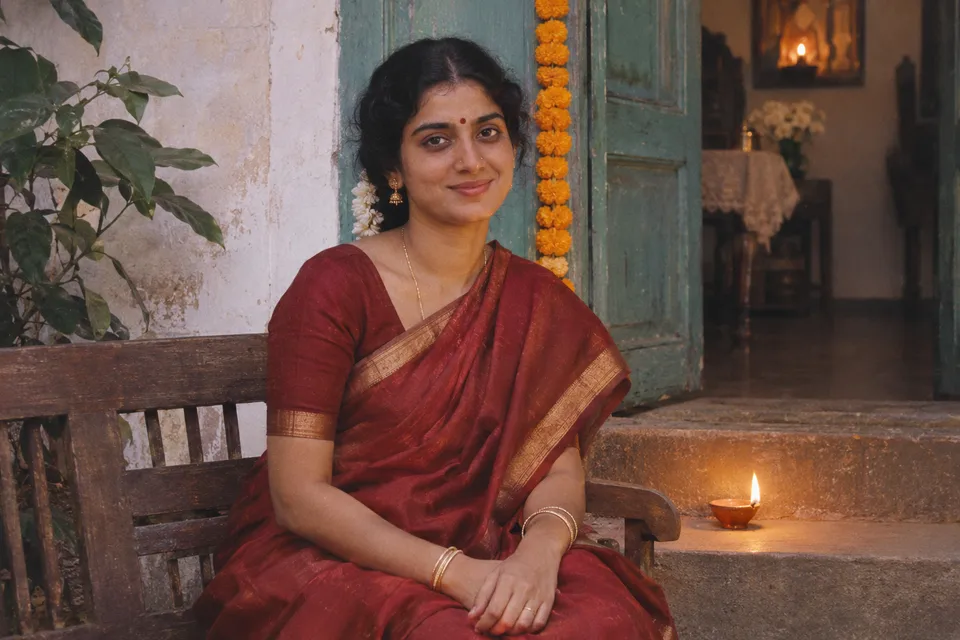
1990s film look. Faded reds and soft highlights give the diya portrait the look of a family album print.
2. Kurta portrait on a balcony
Use a waist-up photo when you want the face and embroidery to carry the image.
Edit this portrait for a Diwali evening. Preserve the person’s face, complexion, expression, hairstyle, and body proportions. Change the outfit to an ivory cotton kurta with understated embroidery around the collar. Place them beside a balcony railing with a short row of clay diyas at dusk. Use soft light from the balcony doorway to keep both eyes clear and let the lamps warm the lower edge of the frame. Keep a waist-up crop with a softly blurred background. Leave out text and fireworks.
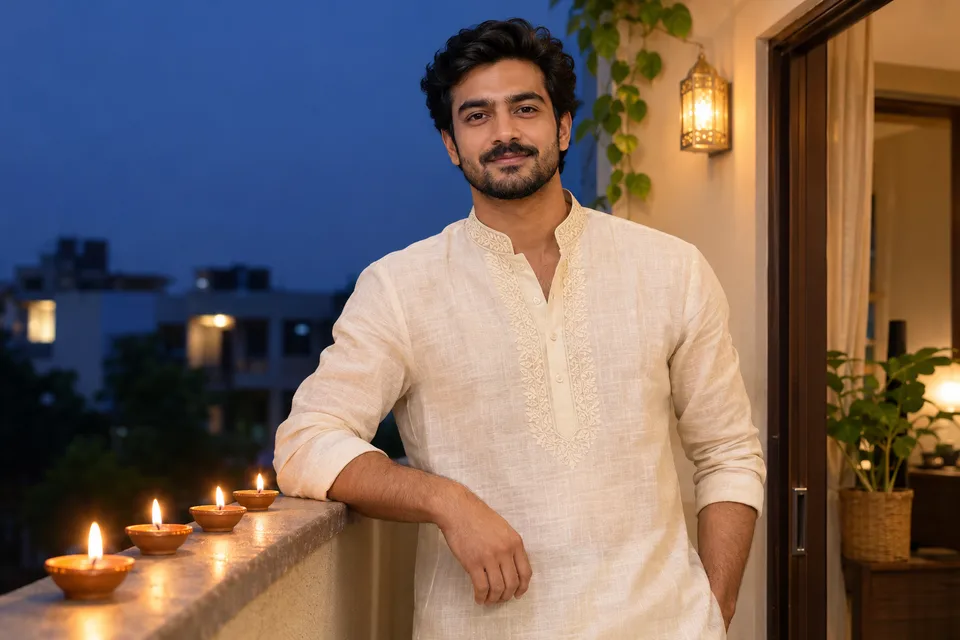
Blue-hour portrait. The cool sky separates the ivory kurta from the warm lights along the railing.
3. Diwali couple photo
A single photo of both people gives the edit a clear starting point for their positions and relative heights.
Use the uploaded photo of two people as the composition reference. Keep each person’s face, complexion, expression, and position on their original side. Preserve the pose and the distance between them. Restyle their existing outfits in complementary wine-red and ivory festive fabrics. Set the portrait in a courtyard at dusk with small diyas on the steps behind them and faint string lights further back. Keep both faces in focus. Use a vertical 4:5 frame and avoid adding people or text.
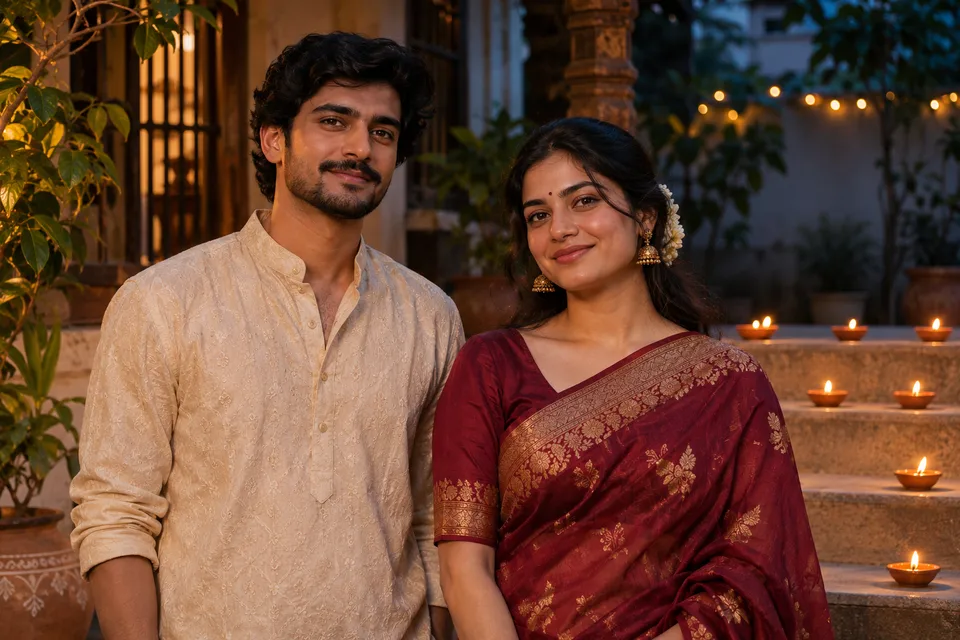
Cinematic couple portrait. Warm light catches both faces while the courtyard stays in dusk.
4. Family photo around a rangoli
A rangoli is a decorative floor design. This prompt places it low in the frame so the people stay prominent.
Edit the uploaded family group photo for Diwali. Keep the same number of people, their positions, facial features, ages, expressions, and original clothing. Add a small rangoli made with colored powder and petals on the floor in front of the group. Place a few clay diyas along the edge of the design. Warm the room light gently, keeping every face clear and the group in focus. Keep the original landscape framing. Avoid adding or removing people and leave out text.
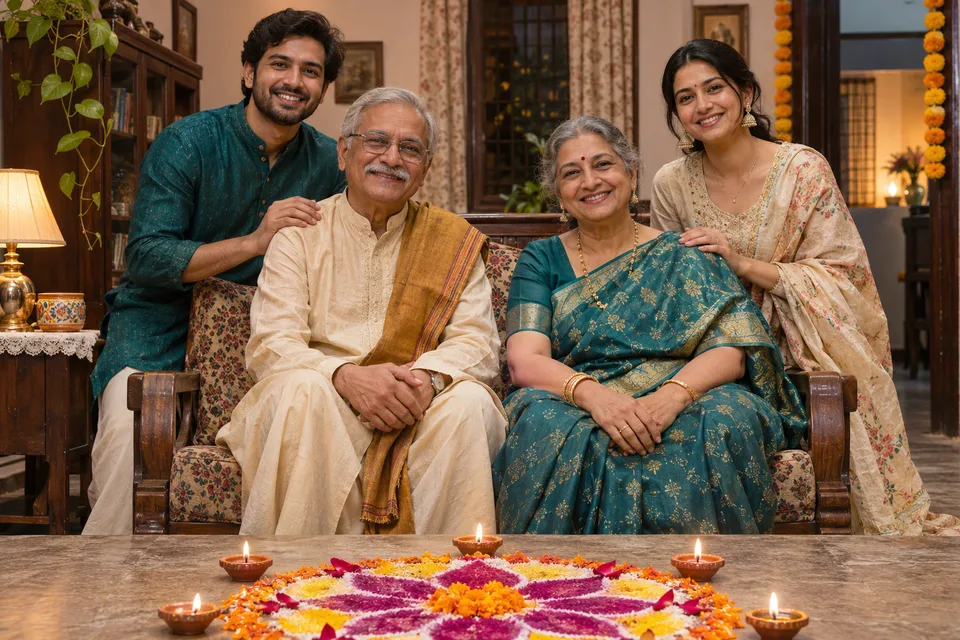
Documentary-style family portrait. The rangoli sits low in the frame with all four faces visible.
5. Brighten a real Diwali photo
Use this when you already like the moment. It limits the edit to common low-light problems.
Improve the exposure and color of the uploaded Diwali photo. Keep the people, clothing, setting, and framing as photographed. Lift the shadows slightly on faces, soften blown highlights around the flames, and reduce distracting noise in the darkest areas. Keep the warmth of the existing lamps and natural variation in skin tones. Preserve fabric and skin texture. Leave the decorations and background objects in their original positions.
6. Decorate a doorway or balcony
Use a photo of the place if keeping its layout matters.
Decorate the entrance in the uploaded photo for Diwali. Preserve the doors, windows, steps, railings, camera angle, and building materials. Add a simple marigold garland around the doorway and several small terracotta diyas along the existing steps. Place a low rangoli on the ground where there is room. Match the shadows and perspective to the original photo. Keep the entrance walkable and the decorations in scale. Leave out people and text.
If the face changes or the lights look artificial
- The face looks different. Reopen the original. Start with “Keep the person exactly as photographed. Add only the lamps and background lights.” Check that result before requesting new clothes.
- The flames wash out the scene. Name two light sources. For example, ask for dim evening light across the face and a small amber highlight next to the diya. This gives the light a location and a limit.
- Hands look wrong. Move the diya onto a step, railing, or table. For a family photo, keep the original pose and check each person against the source.
- The crop is wrong. Select an available aspect ratio in the editor if you need a specific output size. Inspect the edges before sharing, especially on group photos.
For more ways to control what changes in a reference photo, see the Nano Banana 2.1 editing guide.