
1980s Photo Prompt: 4 Retro Looks to Copy and Try
Copy a 1980s photo prompt for studio, family album, campus, or neon-night looks. See example results, upload a photo, and try each prompt in Yix today.
 Yix Team
A useful 1980s photo prompt does more than ask for "an 80s filter." It tells the image model what must stay recognizable, which period details belong in the frame, and how an old print should look. That last part matters. Big hair and neon can suggest the decade, but film grain, direct flash, soft focus, faded dyes, and ordinary rooms are what make the result feel like a photograph somebody might have found in a drawer.
The trend surged after OpenAI introduced ChatGPT Images 2.5 on September 8, 2026. Its announcement linked to an '80s flashback prompt and described it as viral. Instagram's "Add Yours" format helped the same idea travel because people could post a result and invite friends to make their own. Coverage soon widened the format beyond one glamour portrait to family albums, college snapshots, weddings, and Bollywood posters, as The Indian Express documented.
The four examples below were generated for this guide with fictional people. They are editorial illustrations, not customer photos, historical records, or a promise that every source image will produce the same face and styling.
Before you use a 1980s photo prompt
Start with a clear, front-facing photo. The face should be large enough to inspect, with both eyes visible and no heavy beauty filter. A solo portrait is easier than a crowded group shot. If you want a family scene, upload a clean group photo rather than asking the model to invent relatives.
Each prompt below begins with an identity instruction and then defines the setting, clothes, light, camera, and print texture. Keep that order when you edit it. Change one part at a time. If you swap the studio backdrop, hairstyle, outfit, and camera treatment together, it becomes hard to tell which instruction caused a bad result.
For the best chance of keeping a face recognizable, upload the reference in Yix and use GPT Image 2.5 Sunburst. OpenAI describes Sunburst as the more precise option for detailed editing, while Flare is the faster everyday choice. Neither model can guarantee identity preservation, so compare the output against the source before sharing it.
1. A 1980s photo prompt for a classic studio portrait
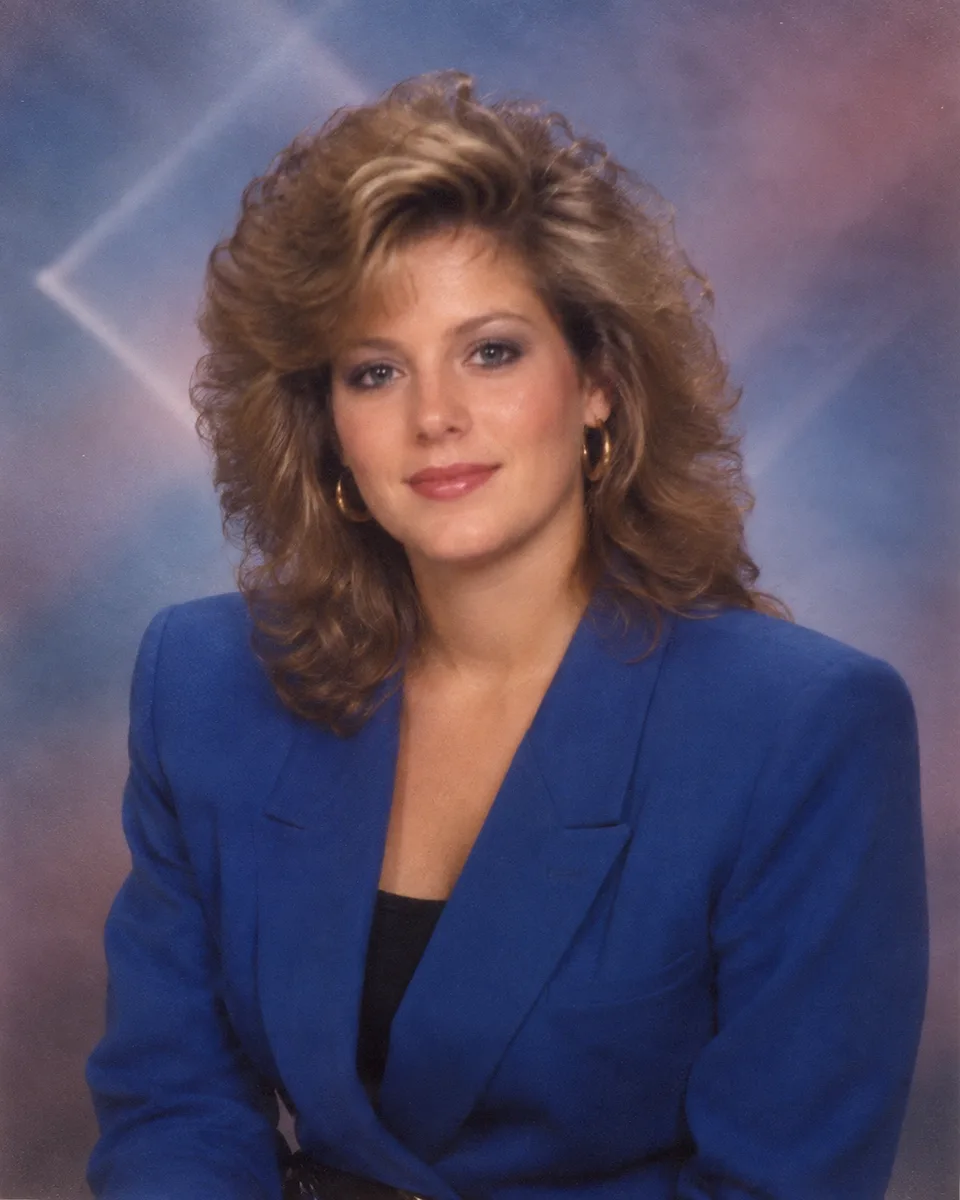
This is the closest match to the mall-studio look that started the current wave. The prompt avoids a futuristic neon grid and asks for soft airbrushed color instead. That distinction keeps the picture closer to a school or family portrait than a synthwave poster.
Copy-ready prompt
Classic 1985 studio portrait
A polished mall-studio portrait with feathered hair, padded shoulders, direct portrait flash, and a softly airbrushed backdrop.
Edit the supplied reference photo into a classic 1985 shopping-mall studio portrait. Preserve the person's face, skin tone, age, eye shape, nose, mouth, and natural expression so they remain recognizable. Give them a period-appropriate feathered hairstyle, a cobalt blazer with modest padded shoulders, and simple gold hoop earrings. Use a softly airbrushed blue-and-mauve studio backdrop with a faint geometric glow. Photograph the scene at eye level as a waist-up portrait with soft direct flash and gentle fill. Add visible 35mm film grain, slight print softness, a mild warm color cast, and tiny natural imperfections. Keep the result believable as a photo printed in 1985. No modern clothing, smartphones, cyberpunk neon grids, text, logos, watermark, plastic skin, or celebrity resemblance.
The important phrase here is "printed in 1985." Without it, many image models make a crisp modern portrait of someone wearing an 80s costume. If the face drifts, remove the hairstyle instruction first and regenerate. Hair around the forehead is one of the easiest changes to let spill into facial structure.
2. A 1980s photo prompt for a family-album snapshot
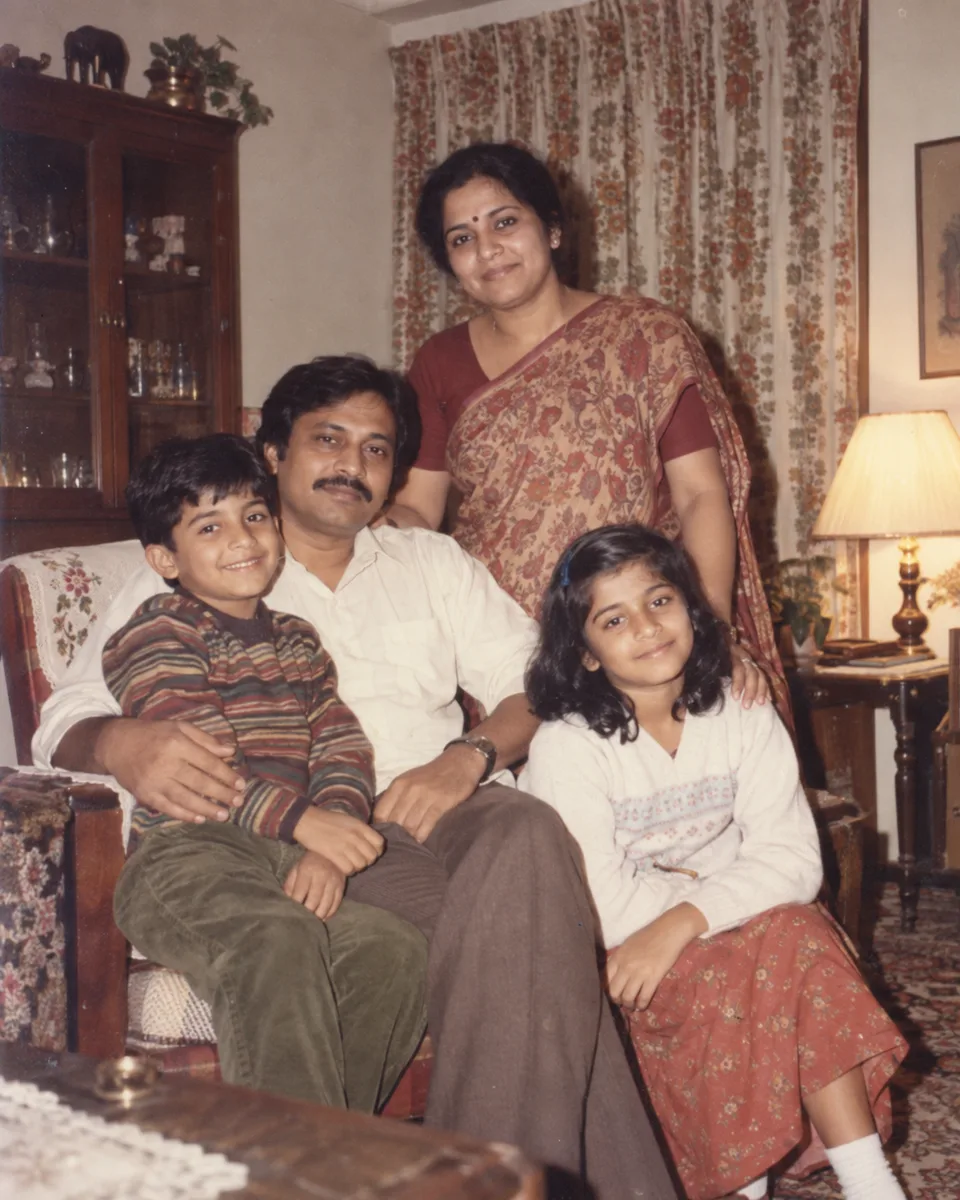
A family-album picture should feel a little unplanned. Direct flash, mixed room light, and imperfect spacing help. Avoid making the home look like a themed film set; ordinary furniture and patterned curtains do more work than a pile of vintage props.
Copy-ready prompt
Warm family-album snapshot
An everyday 1987 living-room photo with direct flash, patterned fabrics, warm color shift, and the slight awkwardness of a real family pose.
Turn the supplied group photo into a casual family-album snapshot taken at home in 1987. Preserve every person's identity, age, skin tone, facial features, relative height, and family grouping. Dress them in ordinary period-appropriate clothes in warm cream, maroon, olive, and faded orange. Place them in a modest lived-in living room with patterned curtains, a wooden cabinet, and one warm table lamp. Use direct on-camera flash mixed with the room light, slightly imperfect spacing, and relaxed natural expressions. Add mild 35mm grain, faded print colors, tiny dust specks, and soft corners. The image should feel affectionate and unpolished, like a print kept in an album for decades. No modern furniture, phones, text, logos, watermark, matching costumes, studio glamour, or invented extra people.
Group edits need a slower review. Count the people before checking style. Then compare each face, the hands near overlapping shoulders, and any jewelry that identifies someone. A convincing color cast is not useful if the model has merged two hands or changed a child's age.
3. Candid college-campus photo
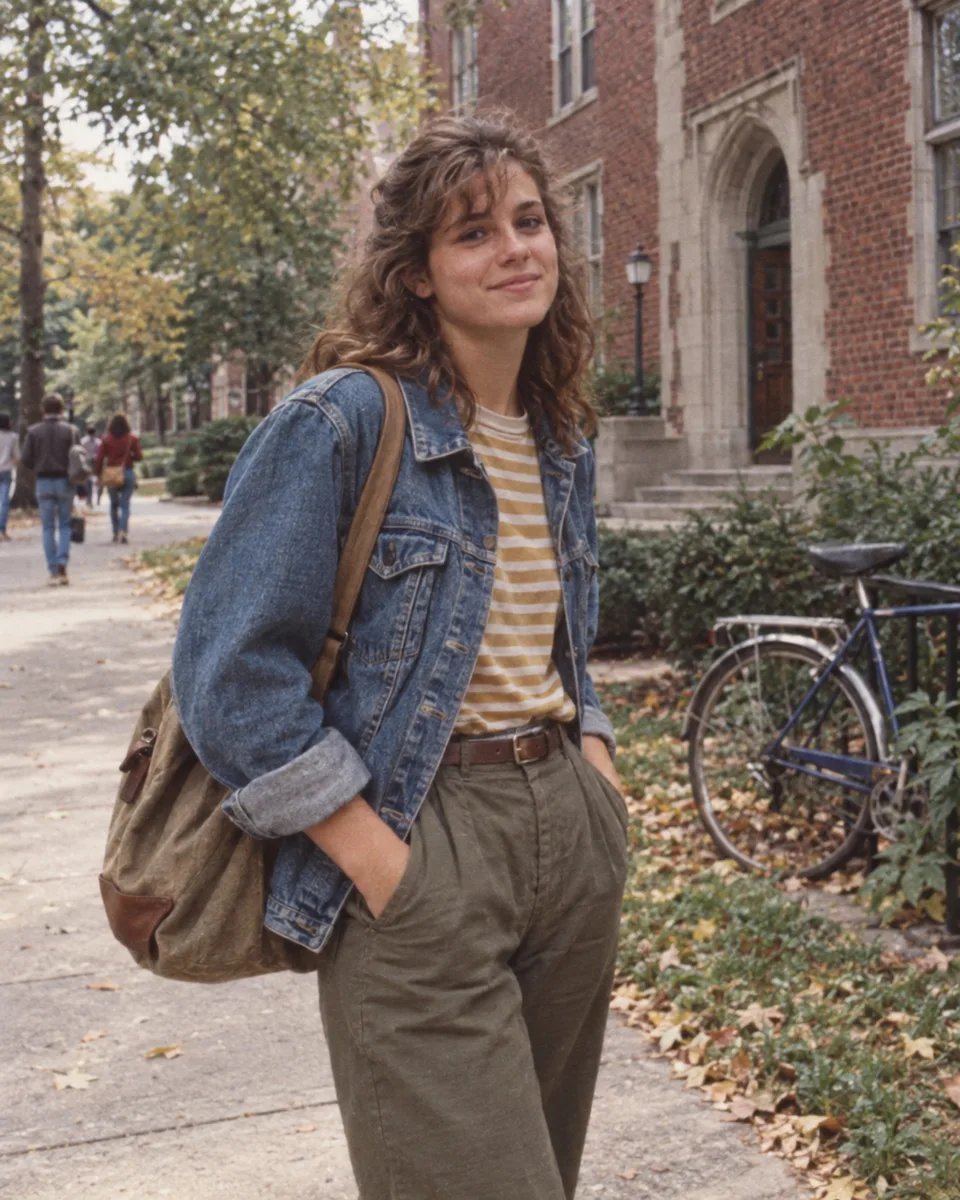
This 1980s photo prompt is quieter than the glamour versions. Denim, a striped shirt, high-waisted trousers, and a canvas book bag set the decade. Soft daylight and casual framing keep the picture from looking like a yearbook headshot.
Copy-ready prompt
Candid college-campus photo
A subdued 1984 campus snapshot built from denim, brick, overcast daylight, and consumer-film softness.
Edit the supplied portrait into a candid university-campus photograph taken in 1984. Preserve the person's face, identity, body proportions, skin tone, and natural expression. Dress them in a worn denim jacket over a striped shirt, high-waisted trousers, and a plain canvas book bag. Place them on a leafy path beside a brick academic building with one period-appropriate bicycle in the background. Use soft overcast daylight, eye-level framing, and the slightly loose composition of a friend taking a quick picture. Add realistic consumer 35mm grain, gentle print softness, subdued denim blue, brick red, mustard, and soft green. Keep skin and fabric texture natural. No modern backpack, smartphone, wireless earbuds, current fashion styling, text, logos, watermark, polished editorial lighting, or celebrity resemblance.
Campus scenes often reveal anachronisms in the background. Look for modern bike parts, LED lights, recent signs, security cameras, and contemporary backpacks. Crop or regenerate rather than posting an image whose main subject looks right but whose setting gives the trick away.
4. A 1980s photo prompt for a neon cinema night
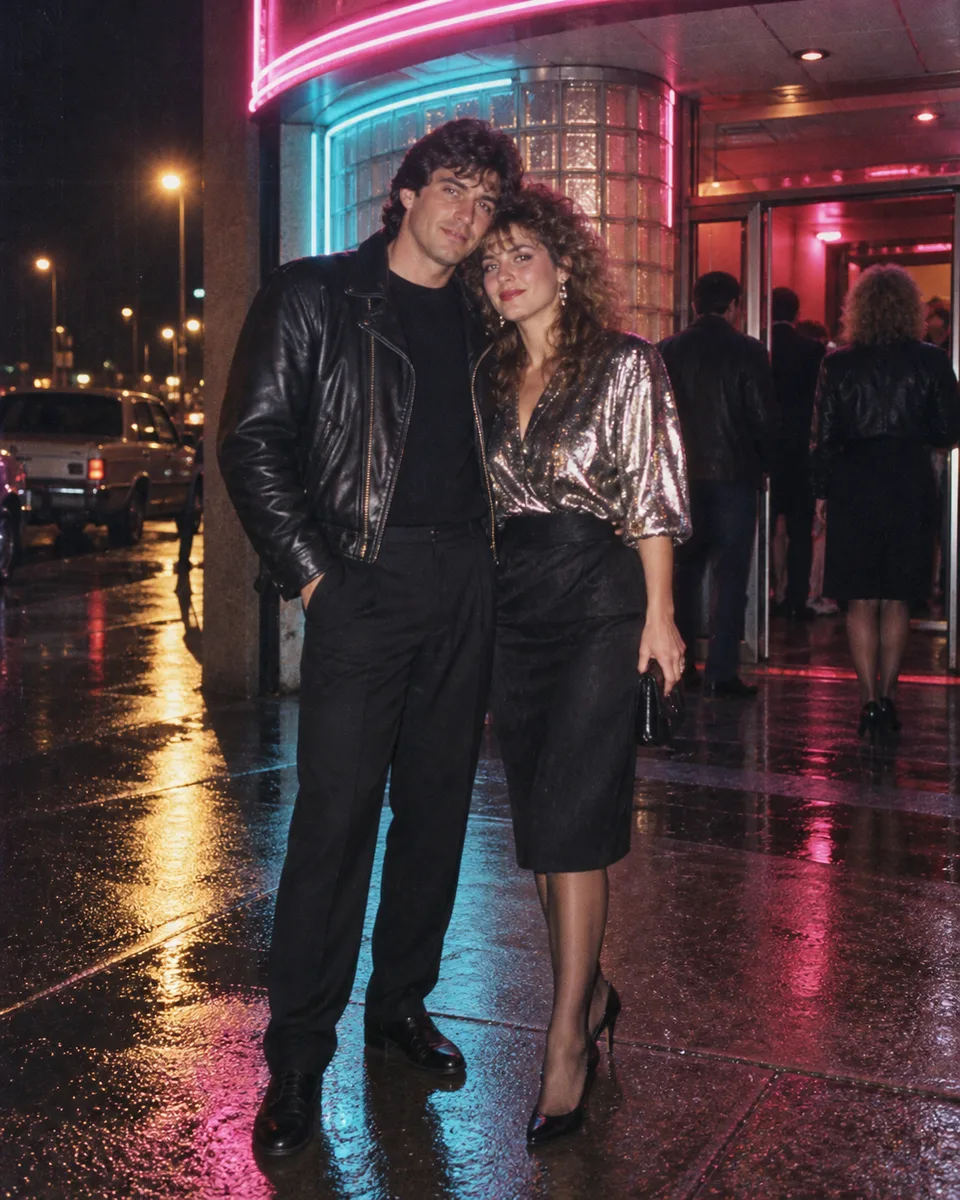
Neon belongs to the decade, but it is easy to push too far. This version anchors the color in a real cinema entrance, wet pavement, direct flash, and high-speed film. The prompt explicitly rejects cyberpunk scenery so the result stays photographic.
Copy-ready prompt
Neon cinema night in 1988
A believable night-out snapshot with direct flash, neon spill, wet pavement, and the halation of fast color film.
Edit the supplied couple photo into a night-out snapshot outside an independent cinema in 1988. Preserve both people's faces, identities, skin tones, body proportions, pose, and relationship to each other. Dress one person in a black leather jacket and the other in a metallic evening blouse with period-appropriate hair and accessories. Use a glass-block entrance, rain-dark pavement, and practical magenta-and-cyan neon lights with no readable signs. Photograph them at eye level with direct flash and believable colored light spilling onto their clothes. Add high-speed 35mm grain, slight halation around the lights, wet reflections, and natural skin texture. Keep the scene lively but grounded in a real 1988 city night. No cyberpunk skyline, futuristic props, modern cars, text, logos, watermark, nightclub branding, or celebrity resemblance.
If this comes back looking like science fiction, reduce the neon rather than adding more negative words. Ask for one practical sign above the entrance and keep most of the street dark. Real night photos from the period usually have deep black areas, hard flash falloff, and less detail than a modern phone camera.
How to adapt any 1980s photo prompt
Keep the identity sentence. Then replace the scene block with a location you understand: a kitchen, wedding hall, train platform, school corridor, or local photo studio. Add two or three objects that actually belonged there. Specific objects help; a vague request for "retro vibes" usually produces clichés.
Next, choose one capture style. A 35mm family snapshot, a formal studio print, a Polaroid, and a VHS frame do not share the same texture or aspect ratio. Mixing all four in one prompt gives the model conflicting instructions. For a portrait, start at 3:4. Use 4:3 or 3:2 for groups and locations where the background matters.
Finally, add a short exclusion line for the mistakes you can predict. Modern phones, LED signs, current cars, airbrushed skin, and readable fake text are common problems. Do not build a hundred-item negative list. Fix the biggest mismatch, regenerate, and compare again.
Check the result before you post it
Treat an AI retro photo as a creative edit, not evidence that an event happened. Ask permission before uploading somebody else's face, especially a child or a person who is not participating in the trend. Review faces, hands, clothing closures, reflections, background writing, and the number of people at full size.
The sample images on this page show four possible directions, not a benchmark. Your result depends on the reference photo, model, settings, and the exact wording you keep or remove. Pick the 1980s photo prompt closest to your source, send it to the Yix image generator, upload the original, and make one controlled change at a time. For more starting points, browse the Yix Prompt Lab.